Thank you for joining our community of hosts. We are thrilled to help you share your space with dog owners looking for a safe, private environment for their pets.
To get your park listed and ready for bookings, please follow this step-by-step guide to registering your account and setting up your host profile.
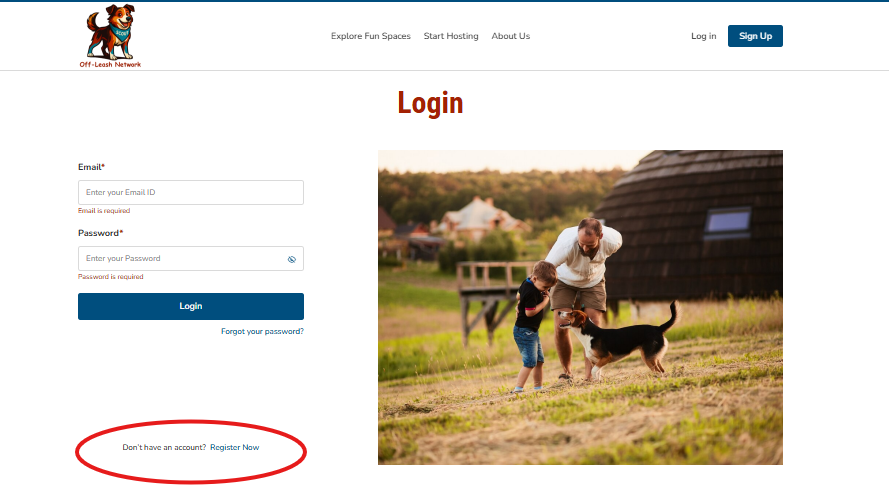
1. Register Your Account
- Start: Click the Register Now button.
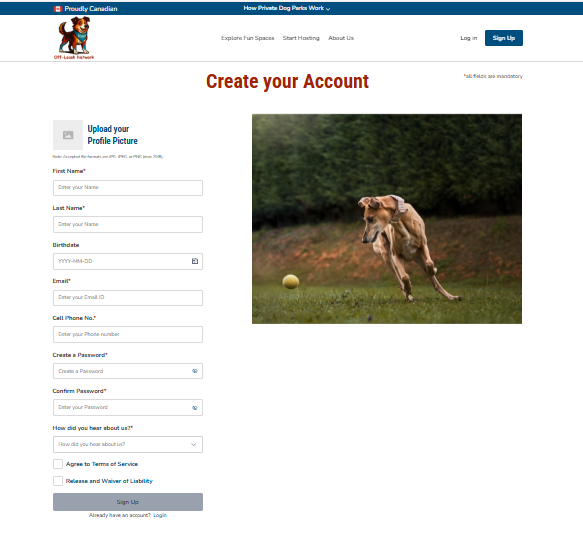
- Profile Setup: Upload a profile picture and provide basic information, including your name and email. Create a secure password.
- Password requirements are minimum 10 character, use a mix of letters, numbers & symbols
- Agreements: Review and accept the Terms of Service and Release and Waiver of Liability to proceed.
- Confirmation: Once submitted, a verification email will be sent to your inbox.
| Note: If you’re setting up your profile and haven’t seen your verification email yet, please:  CHECK YOUR JUNK OR SPAM FOLDER. CHECK YOUR JUNK OR SPAM FOLDER.  MARK OUR EMAIL AS "NOT SPAM." MARK OUR EMAIL AS "NOT SPAM."  ADD US TO YOUR CONTACTS. ADD US TO YOUR CONTACTS. Doing this now is super important because it ensures that direct booking notifications go straight to your inbox rather than the "dog house." We want to make sure you never miss a request from a fellow dog lover! |
2. Verify Your Email
- Check Inbox: Look for a verification email from K9 Off-Leash Network. Check your Junk box!
- Confirm: Click the verification link inside the email to confirm your identity.
- Redirect: Once verified, you will be automatically redirected to the login page.
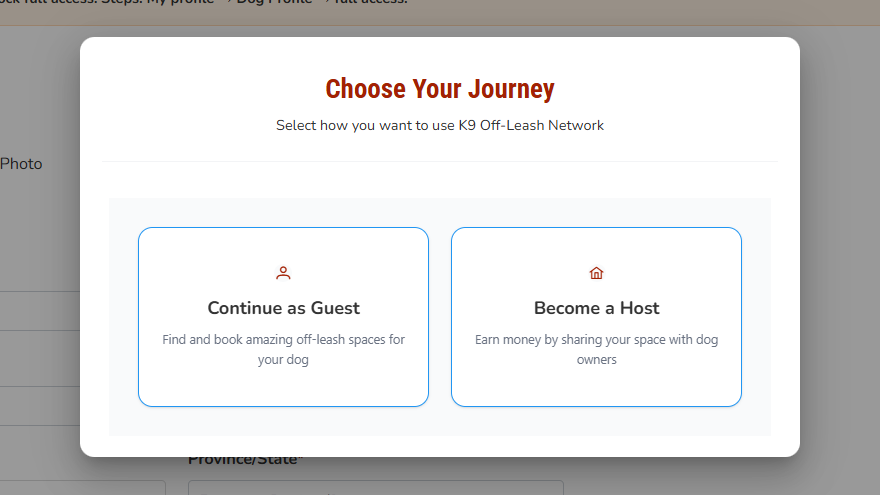
3. Log In and Choose Your Journey
Once you log in you'll be prompted to choose your journal. Selecting how you want to use K9 Off-Leash Network, either as a Guest or Host.
3. Create Your Profile and Park Listing
Once you are in your Host Profile for the first time, you will be guided through the listing setup wizard. Please be prepared to provide the following details:
- Profile Details: Address, Business Information
- Park Details: Name, address, total size, and fencing type/height.
- Visuals: Property photos and links to your website or Facebook page (if available).
- Safety & Access: Identify potential hazards, distractions (audible/visual), and provide parking/access info.
- Operations: Set additional rules/policies, list amenities, and set your price and "extras."
- Communications: Set up your automated Courtesy Messages.
- Stripe: You must set up a Stripe account in order for your listing to be visible.
4. Returning Users
For future visits, simply enter your email and log in. You can switch between Guest (to book other parks) and Host (to manage your own) at any time via the toggle in the top navigation bar.

5. Switch to Host Profile
To manage your property, you must switch your view from Guest to Host:
- Locate Toggle: After logging in, go to your account menu.
- Switch: Use the toggle to select Switch to Host Profile.
- Access Features: You now have access to Host-specific features, including:
- Managing your dog park listings.
- Viewing your Host dashboard and bookings.
- Accessing Host resources and support.
Tips for a Smooth Experience
- Double-Check Details: Ensure your email address is entered correctly during registration.
- Check Spam: If you don’t see the verification email, check your spam or junk folder.
- Bookmark Us: Bookmark the K9 Off-Leash Network login page for quick access.
Was this article helpful?
That’s Great!
Thank you for your feedback
Sorry! We couldn't be helpful
Thank you for your feedback
Feedback sent
We appreciate your effort and will try to fix the article