Welcome to the Booking Preferences section! This is where you set the tone for how guests interact with your park. Whether you prefer a hands-on approach or a smooth, automated flow, this section helps you customize your availability and booking style to match your comfort level.
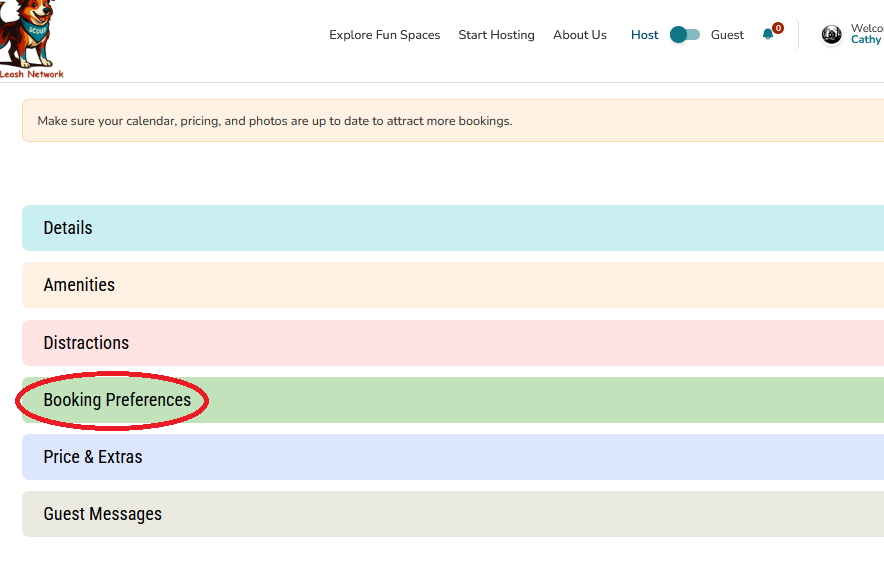
About This Section
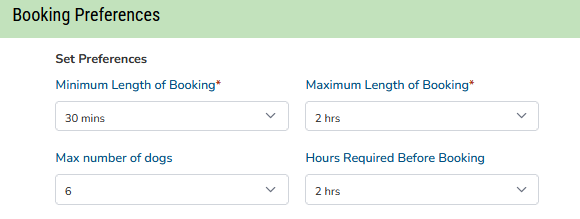
In this section, you’ll specify your booking preferences—like how long visits can be, how much notice you need, and how many dogs you’re comfortable hosting at once.
Every Host has their own style of welcoming guests, and that’s part of what makes KOLN so special. Some Hosts love chatting with guests before confirming a visit, while others prefer a streamlined, instant booking experience. This section lets you decide what works best for you.
You’ll be able to:
- Set minimum and maximum visit lengths
- Choose how far in advance guests can book
- Indicate how many dogs you’re comfortable hosting per visit
Host Interaction 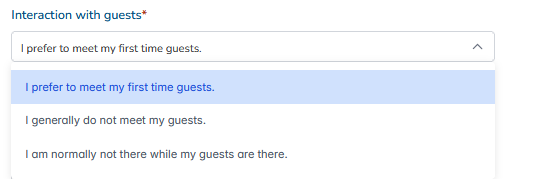
Every Host has their own style of welcoming guests. When setting up your profile, you can choose how you'd like those interactions to go:
“I prefer to meet my first time guests.”
You're all about the personal touch—greeting guests in person helps build trust and a warm connection right from the start.
“I generally do not meet my guests.”
You keep things simple and relaxed. Guests explore the property independently while still enjoying all the thoughtful amenities you’ve set up.
“I am normally not there while my guests are there.”
Your space is fully self-guided and designed for privacy. Guests arrive, enjoy, and depart without direct interaction, but your support is just a message away.
Booking Confirmation

As a Host, you have the flexibility to choose how bookings are confirmed:
- Manual Approval
You’ll receive booking requests and can review each one before confirming.
Guests won’t receive a final confirmation until you manually approve the request.
Ideal for Hosts who want a little more control or prefer to screen bookings.
Note: Out of respect for our Guests' planning and time, Hosts have a 2-hour window to confirm a manual booking request. If the request is not confirmed within this timeframe, the system will automatically cancel the booking to allow the Guest to find an alternative space.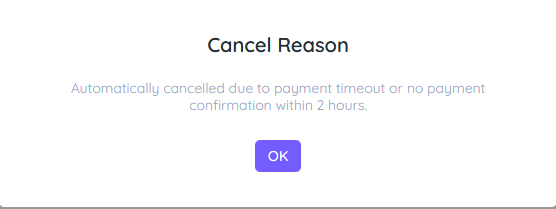
- Automatic Approval
Bookings are instantly confirmed as soon as a guest submits their request.
No need for manual review—just set your availability and let the system do the rest.
Perfect for streamlined, hands-off scheduling.
Choose the method that fits your hosting style best!
Looking for more information on Booking Confirmation visit this article - Booking Confirmation - Which is Best?
Hours of Operation
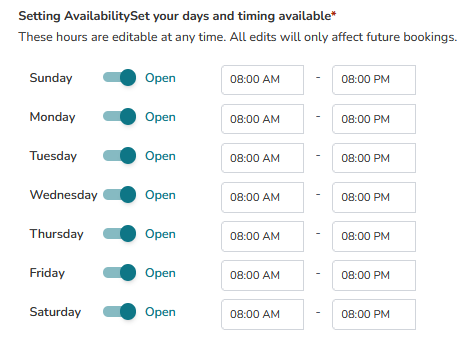
- Define daily open and close hours
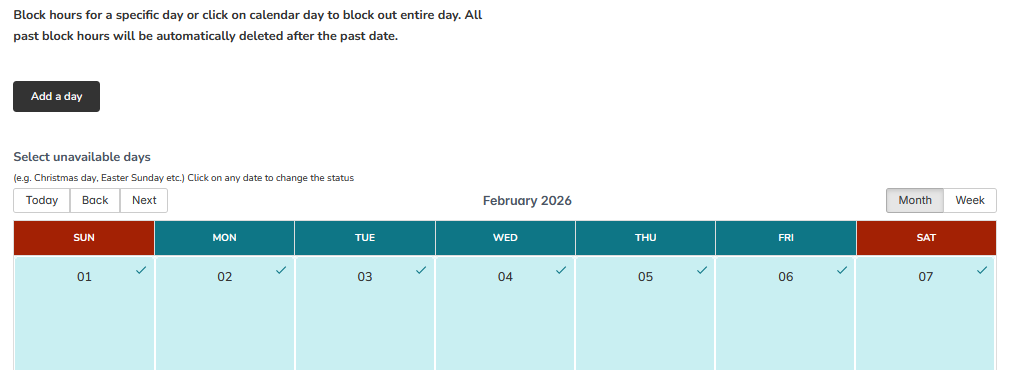
- Mark blackout dates when your park isn’t available
Tip for New Hosts:
Start with a schedule that feels manageable. You can always adjust your hours, approval settings, or blackout dates as you get more comfortable hosting. Looking for more information on managing your calendar? - visit the following section - Bookings and Calendar.
Was this article helpful?
That’s Great!
Thank you for your feedback
Sorry! We couldn't be helpful
Thank you for your feedback
Feedback sent
We appreciate your effort and will try to fix the article