Stay up to date with all your booking notifications in one place. This page helps you track, filter, and manage your booking alerts efficiently so you never miss an important update.
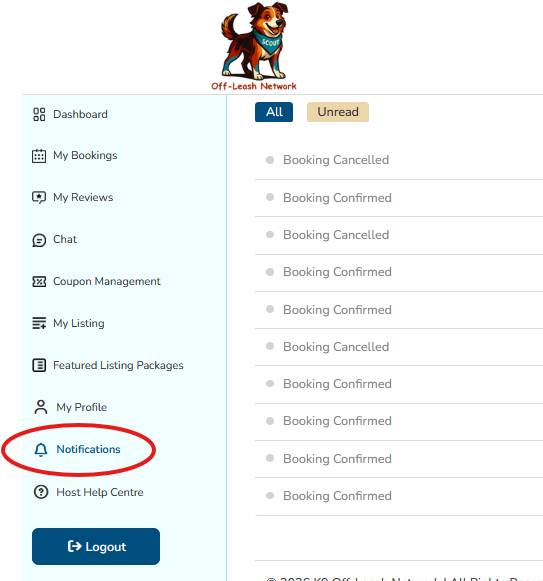
Notification Filters
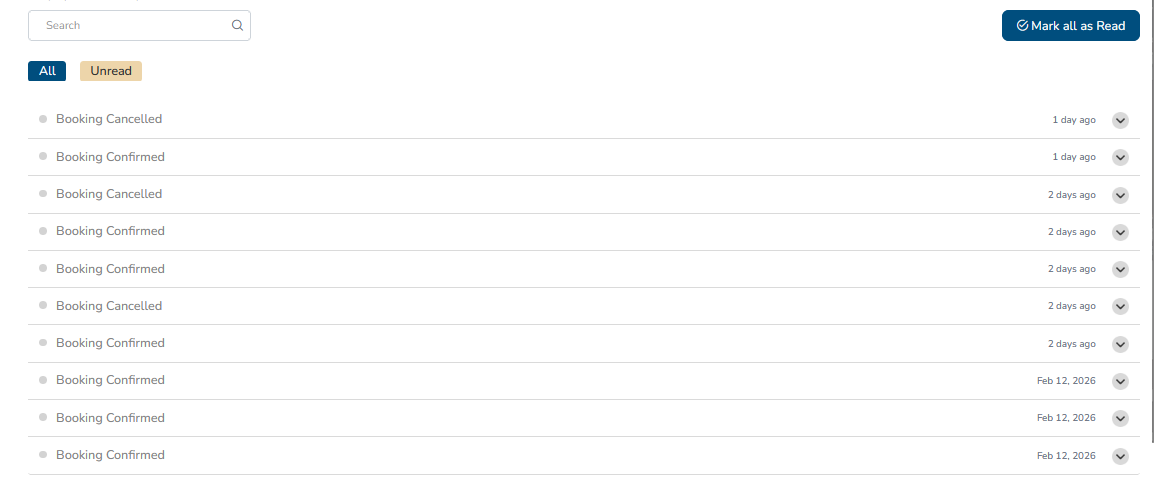
Easily filter your notifications by category:
- All: View every notification.
- Unread: See only notifications you haven’t read yet.
- Booking: Focus on booking-related updates like confirmations and cancellations.
Search Notifications
Use the search bar to quickly find notifications by property name, guest name, booking ID, or date.
Notification List
Your notifications appear in a list with the most recent at the top. Each notification shows a brief summary and timestamp.
- Click a notification to expand details including:
- Property Name
- Guest Name
- Booking ID
- Date and Time
- Status (Confirmed, Cancelled, etc.)
Mark as Read
Use the Mark all as Read button to clear your unread notifications and keep your inbox tidy.
Tips for Managing Notifications
- Regularly check your notifications to stay on top of bookings.
- Use filters to prioritize urgent updates.
- Keep your booking details handy for quick reference.
By managing your notifications effectively, you ensure smooth communication and seamless hosting experiences. Welcome to your booking hub!
Was this article helpful?
That’s Great!
Thank you for your feedback
Sorry! We couldn't be helpful
Thank you for your feedback
Feedback sent
We appreciate your effort and will try to fix the article