This page helps you understand how to manage automated messages sent to your Guests through the platform. Whether you're just getting started or refining your hosting style, these settings are designed to make communication easy, warm, and timely.
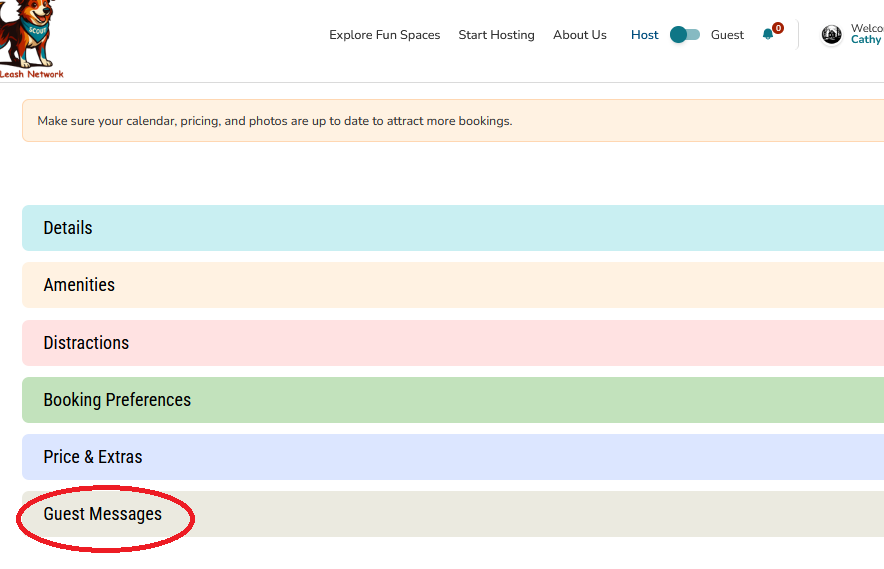
What You’ll Find Here
Customize the messages your Guests receive. It’s divided into three tabs:
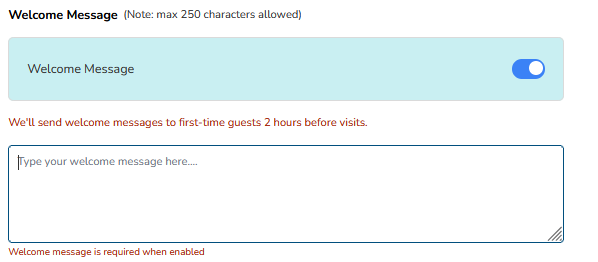
- Welcome Message to First Time Guest: Send a friendly welcome message to Guests visiting your park for the first time.
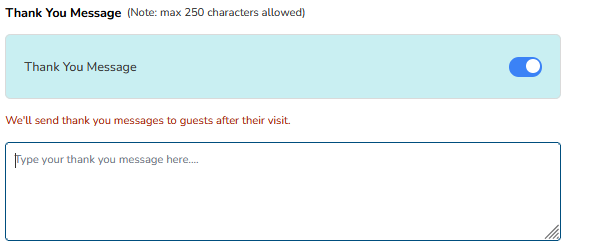
- Thank You for Your Visit: Automatically thank Guests after their visit to build goodwill and encourage return bookings.
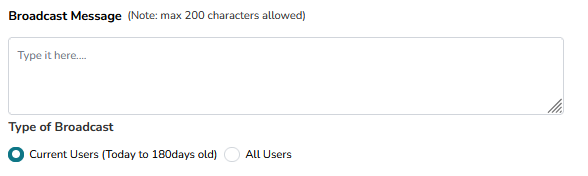
- Broadcast Messages: Share updates, seasonal notes, or special announcements with all upcoming Guests.
Key Features
- Toggle On/Off: Choose whether to send automated messages for each category.
- Custom Message Box: Write your own message in your voice—whether playful, professional, or heartfelt.
- Timing Control: Messages are sent at thoughtful intervals (e.g., welcome messages go out 2 hours before a Guest’s first visit).
- Save Button: Don’t forget to click "Save" to apply your changes!
Why This Matters
- Build Trust: Guests feel reassured when they receive timely, friendly communication.
- Save Time: Automation means you don’t have to manually message each Guest.
- Create Connection: A warm welcome or thoughtful thank-you sets the tone for a great experience.
- Stay Professional: Consistent messaging helps you maintain a polished, reliable presence.
Was this article helpful?
That’s Great!
Thank you for your feedback
Sorry! We couldn't be helpful
Thank you for your feedback
Feedback sent
We appreciate your effort and will try to fix the article